Now that we’ve built the sample project and loaded it to a touchpanel successfully, let’s break it! I’m going to be referencing Using the Crestron Template Project to dive deeper into the code.
Continue reading “CH5: Back to Basics”Month: February 2021
CH5: Getting Started
I haven’t thought about Crestron’s HTML5 since attending Virtual Masters last year. At the time, I was very eager to learn the next generation of UI development. My enthusiasm was squelched a bit when I realized:
- I needed a TSW-xx60 panel to test with (CH5 XPanel wouldn’t be released until February 2021 it turns out)
- I could use the JavaScript emulator library, but then you end up doubling the amount of work to test a panel layout
- My limited understanding of web development was not enough to separate the CH5 bits from the underlying framework
- Crestron didn’t anticipate an audience that had never touched modern JavaScript
So, I filed it away and decided I would return to it once I had time to spare. So here I am, 10 months later (with an actual TS-770 now) and ready to learn some CH5!
Continue reading “CH5: Getting Started”Easy Insurance for $10
I highly recommend purchasing an external SD card for your Crestron processor. They’re cheap and will increase the lifespan of the flash memory built into the processor. This one was only $10!
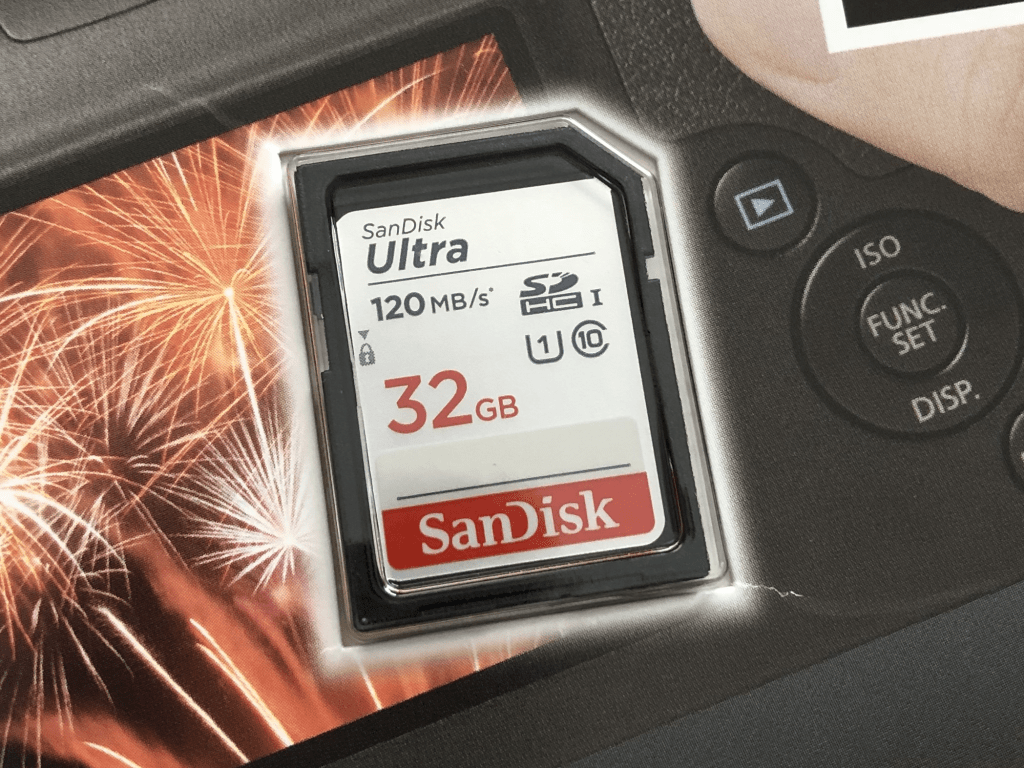
You can even setup logging to write to it instead:
> FORMAT
> RMLOGERR ON NOTICE
> RMLOGERR
RMLOGERR status:
    Current Log State is ON
    Current Log Name is /rm/RMLOGS/Crestron_00.log
    Current Size is 262144
Current Number of files is 1CP3 vs CP4
I wanted to see how much faster the CP4 is versus the CP3, so I wrote a small benchmark program to count prime numbers between 2 and some number. I’ve added a FINDPRIMES command to the console so I can test a few ways. Here is an example running on a CP3:
findprimes 20
2 3 5 7 11 13 17 19
Found 8 primes in 00:00:00.0005093
After testing each number between 2 and 20, the program found 8 that are prime, and it took 509.3 microseconds from start to finish.
Continue reading “CP3 vs CP4”CP4
My employer purchased a CP4 for me to mess around with, and wow is this thing fast! File transfers are at least twice as fast. It’s hard to tell how much quicker it is since the progress window disappears almost immediately. I haven’t thrown any large programs at it yet to see how it handles, but I’m keeping my CP3 racked above it just in case. And then there’s the poor NI-3100 I need but once a year.

Soup to Nuts: Cisco Codec – Part 4
In the final part of this series, we’ll finish by adding some basic functionality to the module we created in Part 3. Then we’ll look at how to drop this module into a real program and debug it when things go wrong. Lastly, we’ll consider how we could extend this module in the future.
Continue reading “Soup to Nuts: Cisco Codec – Part 4”FIFO Queue
The FIFO Queue is a handy symbol in SIMPL Windows. It’s not one I use regularly though, so I’m always a little confused by its operation. FIFO stands for “First In, First Out.” As you add elements to the queue, they are removed in the order they were added.
Continue reading “FIFO Queue”Soup to Nuts: Cisco Codec – Part 3
In this part, we’ll extend our Device class and create a subclass specialized for talking to Cisco devices. Then we’ll work on properly wrapping our SIMPL+ module into a SIMPL User Macro.
Continue reading “Soup to Nuts: Cisco Codec – Part 3” Kiel the Coder