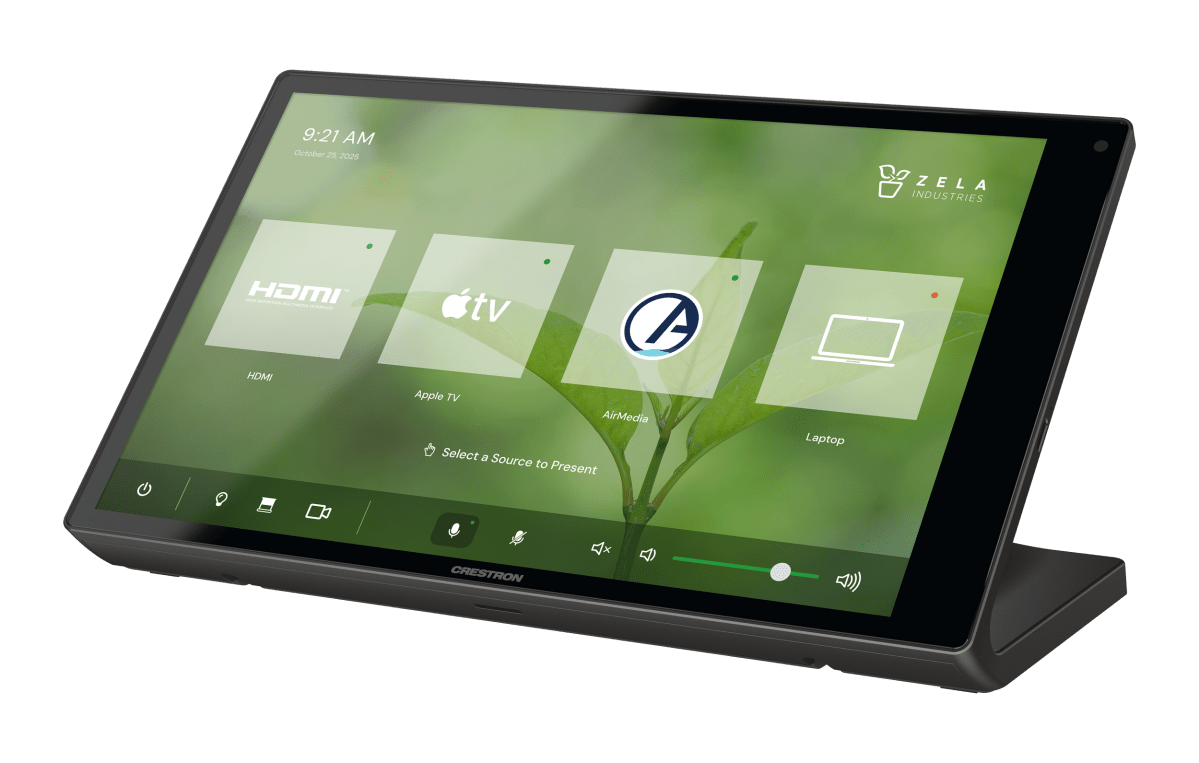
I originally started writing this in 2025, so it had a punchier title. Oh well… last year ended up far busier than I expected, so writing has taken a backseat to everything else. I think the topic remains relevant (even more so) with the recent listing of TSW-1080 panels on Crestron’s website.
I haven’t touched HTML5 much since 2022. Once supply-chain issues resolved, I found myself playing catch up on many delayed projects. The workload hasn’t quite subsided, but I know the importance of working with HTML5+CSS+JS has only increased. I worry daily that SmartGraphics will be end-of-life sooner than I’d like.1 We all need to be ready for that eventuality!
Since it’s been so long since my last post about HTML5, I thought it would be good for me (and possibly for you) to do a quick recap of the experience so far. I hope this sets a roadmap for which topics I target for the next few months.
CH5
When I started playing with Crestron’s HTML5 framework, they were adamant there would be no WYSIWYG editor like VT Pro. And the last time I touched the CH5 framework directly was when I wrote about it in 2021. It seemed too challenging to customize the way I wanted it to work, and the documentation didn’t offer much in the way of a tutorial to get you started.
One cool thing Crestron did provide was a Showcase App where you could demo all the widgets and see what styles were available. But it did seem like the aesthetics were a step backwards from the slick themes provided with SmartGraphics.
The documentation on the developer site has gotten better. The Getting Started section is enough to get you to a working build environment. But then you’re still trapped within the confines of the Shell Template they provide.
I’m going to spend some time where I try to bulid a new project using the template and see if the experience has gotten any better… stay tuned!
Construct
After a lot of push-back, Crestron released Construct, their HTML5 replacement for VT Pro. While it initially didn’t have full feature parity, it has really closed the gap and is viable for many projects now.
But… it’s quirky. The UI demands a 4K resolution to get any real work done. When dragging controls around, they try to snap to a strange, invisible grid. It crashes frequently. Building a new project for the first time is slow since it sets up the CH5 environment in the background. Some CH5 versions are buggier than others, and some updates require updates to Construct as well.
But at least it’s a standard tool where you can expect any Crestron programmer to have some familiarity with it. Need to inherit a project? With Construct, files can be passed back and forth (or better, checked out from version control) with some hope of delivering a finished layout.
Contracts are still a mess compared to joins, and that probably deserves a separate post dedicated to just that. Crestron talked about moving SIMPL Windows functionality into Construct, and sadly, I think that will put the software on a path that makes it unusable to many programmers.
The Others
I know this blog has a tendency to focus on Crestron, and that’s largely because I wanted to start dumping info somewhere after Crestron Labs tightened down on the “social” elements on their forum. I do come across Q-SYS and Extron projects as well, and their GUI development platforms are more cohesive than Crestron’s at the moment.
Q-SYS is really well designed. I mean, the control platform was a bit mysterious when it hid behind a license purchase. But now that Designer 10.0 and up allow free reign of UCI and Scripting, I’ve started approaching those projects with more robust programming. Lua is a fun language (with some quirks) but it’s easy to pick up, just like Python. GUI development can be as simple as dragging and dropping designer elements onto a page and styling appropriately, but there is also CSS available so you can make it look fancy.
Extron just released new touchpanels that beef up the hardware specs and can even act as a control processor. Almost everything can be controlled via Ethernet now, and for the few devices that require more primitive I/O, there are a host of expanders that add the missing ports. It can be easier to troubleshoot connection problems when the expander is located closer to the device being controlled; everything just lives on a network now.
Extron still has goofy GUI development software, and for some reason, it feels harder to style something that looks nice if you move away from their provided theme assets. If I did more with Extron, maybe I’d have built up my own template by now. But their control side is where they shine: if you can drag and drop actions onto a touchpanel layout, you can program Extron. And for those systems that require an actual programming language, you can develop in Python and go well beyond what their provided control drivers do. I just wish the GUI tool was updated and provided better assets to get you started.
Each environment has its own approach to UI development, but under the hood, it’s all HTML5!
DIY
Lastly, I’d like to touch upon another option that has been available from Day 1: the do-it-yourself approach. It seems the programmers who put in the effort to learn HTML5 concepts (and CSS3 and JS) are reaping the most reward with this switch to a modern tech stack.
This does mean blurring the lines between web developer and control programmer, but the world that opens up to you will be worth it. Building online shopping carts and note taking apps doesn’t immediately translate to custom touchpanel layouts, but the foundations are the same. You’ll have to spend some time learning the technology, then finding ways to make it work for control surfaces.
I expect the majority of my investigative posts over the next few months will be adapting Vue.js into a flexible GUI framework. I started learning Vue.js a year or two ago, but couldn’t find a way to bring it to my team. Hopefully, I can flesh something out a bit better on this attempt and start making good use of it on a daily basis.
The biggest downside I see for the completely custom approach is it becomes nearly impossible for the average control system programmer to step in and make changes. Especially if the touchpanel layout wasn’t built in-house. There are a number of times I’ve taken over from another integrator, and I’ve been able to look at the existing code and decide what stays, what goes. I feel like with the DIY approach, there may be no existing code to pass along.
Next Steps
I’ll continue writing about my experiments as I work my way through them. That’s the plan, anyway! Hope to see you as I journey through HTML5…again.
- Guess it will be whenever the TSW-1070 goes EOL ↩︎
 Kiel the Coder