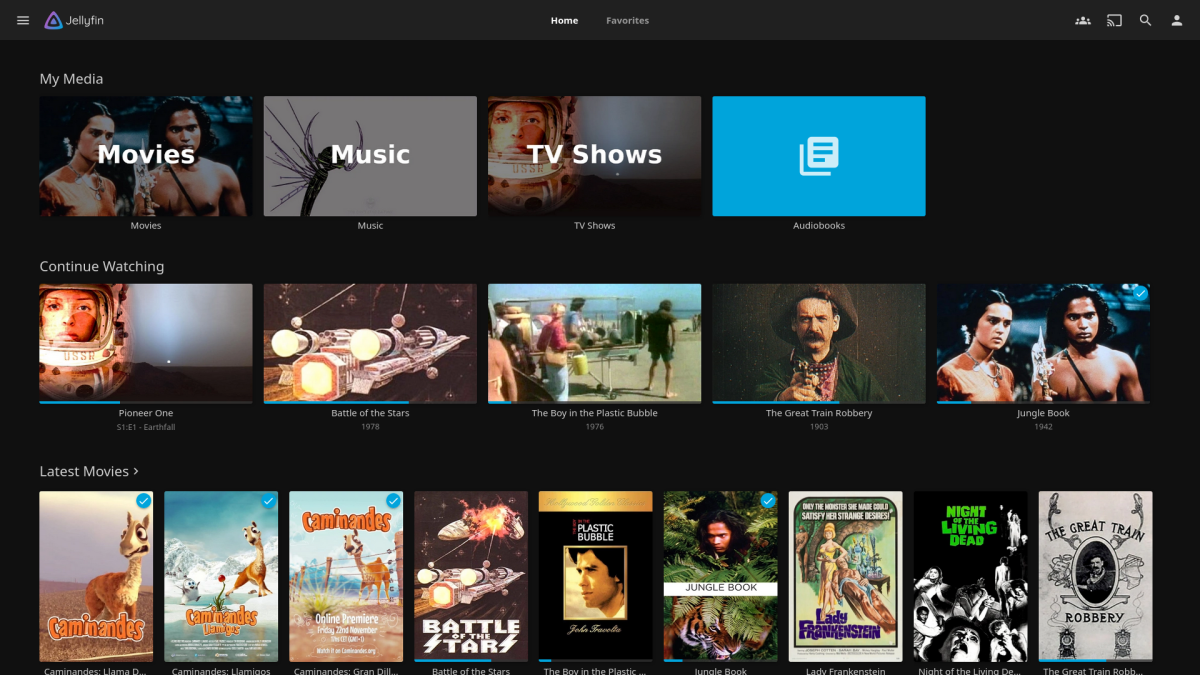
I’ve been a Plex Pass subscriber since 2019. I’d already been using Plex to organize my media library, and when the kids got their own kid-proof tablets, I thought it would be nice to copy some of that library onto their devices for long plane trips.
At first I started out by copying gigantic files onto their Fire Kids tablets, but the playback wasn’t great, and a couple movies could fill up the device. I tried converting my pristine MKV collection into something that worked with their limited hardware, but that took trial and error finding an FFmpeg profile that suited the Fire Tablet well enough.
That’s when I realized I could buy a Plex Pass and solve a bunch of issues right off that bat:
- Let my server create optimized versions for other devices, freeing up my time!
- Use the Plex app on their tablets to download those optimized versions, much easier than navigating the Android file system!
- Supporting an open source project that made my life better!
It seemed like win-win all-around.
Price Increases
Plex Pass jumped in price a few years back from $40/year to $70/year. I was annoyed, but felt like it was still a good value. And at that point, I had made a friend and we could share our Plex server content with each other.
Also, I realized that I’d used the media transfer ability only a couple times. Having Disney+ on the kids tablets seemed to be preferred to whichever random movies I had available in Plex.
Now there has been an increase in the Lifetime Plex Pass to an absurd $750 and I can only imagine the annual subscription is going to see another price bump before too long. So today, I cancelled my subscription renewal.
I thought Plex was a great software when I first started using it, but it seems like it’s trying to compete with other streaming services now and adding lots of content that I don’t care about. All good things come to an end, I guess.
Jellyfin
I heard about Jellyfin from a friend at work, so I’d thought about switching to it anyway. It seems more in-line with what Plex was when I first started using it.
For my new NAS, I switched to ZFS which was surprisingly simple. Debian 13 doesn’t support ZFS out-of-the-box, but it’s very easy to get up and running. I may do a post about that once I get around to upgrading the drive space (if computer components become affordable again).
I removed the plexmediaserver package and set about getting Jellyfin running in its place. All my media is already stored on this server, so that saved a lot of time.
From their website, I could download a package for my Linux version. This gave me a .deb I could copy over to my server and install there. Tried to start the service and… no go. I didn’t save a copy of what the actual error message was, but it related to not being able to find FFmpeg. So I tried:
$ sudo apt install ffmpeg
Tried again… and still no. I tried:
$ systemctl status jellyfin
And it told me:
(/usr/lib/systemd/system/jellyfin.service)
Looking in the jellyfin.service unit file, I found:
EnvironmentFile = /etc/default/jellyfinExecStart = /usr/bin/jellyfin $JELLYFIN_WEB_OPT $JELLYFIN_FFMPEG_OPT $JELLYFIN_SERVICE_OPT $JELLYFIN_NOWEBAPP_OPT $JELLYFIN_ADDITIONAL_OPTS
Huh, a bunch of environment variables! So lets check in /etc/default/jellyfin. I found a path pointing to a non-existing FFmpeg. I cleared it so it would use the system default instead:
# ffmpeg binary paths, overriding the system values# JELLYFIN_FFMPEG_OPT="--ffmpeg=/usr/lib/jellyfin-ffmpeg/ffmpeg"JELLYFIN_FFMPEG_OPT=""
Restarting the service and it complained of a missing directory for the web UI (again, I didn’t capture the exact text of this error).
Time to read the documentation.
Free Software Frustration
Granted, I probably should have read the documentation before trying to install anything. But given a .deb package, I assumed this would be everything to get the server up and running then I could follow along with the manual.
In hindsight, I probably should have followed the instructions online and just blindly run:
$ curl -s https://repo.jellyfin.org/install-debuntu.sh | sudo bash
But I’m not like that. I’ve spent enough time building software packages on Linux, so I know my way around build scripts, Makefiles, and more. And when I see a packaged .deb, I assume that’s everything I need.
Well… Jellyfin seems to distribute itself as a few packages. If I’d looked a little further down the downloads page, I would have found a jellyfin_*_all.deb that likely would have made my life easier.
Instead, I went the route of: finding the jellyfin-web GitHub repo, cloning it, building it, fighting with the version of NodeJS that Debian includes, installing a separate version from the NodeJS website, setting up some symlinks to make tool chains happy, copying the resulting web app into the expected directory under the /usr folder (yikes!), and just generally making a mess of my Debian install.
It’s working, but jeesh, I think this is the moment where a lot of people throw up their hands with Linux because it’s built on a pile of dependent software like this. I do plan to go back and re-install this thing the intended way; I can imagine one or two system packages updating and blowing up my hastily crafted workaround.
Following the Guide
Rather than wait for things to blow up on their own, I got rid of my mess and ran the install script as the developers intended:
$ curl -s https://repo.jellyfin.org/install-debuntu.sh | sudo bash
And magically, every dependency is met, the software starts without complaining, and even the contents of my library are still there and play just fine!
Do I recommend blindly running scripts from the Internet? No.
But Jellyfin seems reputable, and you can download the install-debuntu.sh script and see what it’s trying to do before running it. In the case of this script, it determines which architecture you’re running Linux on and sets up APT to point to Jellyfin’s sources. After an update, it installs the jellyfin package which pulls in all the needed components. And just like that, it magically works!
Saying it Out Loud
Originally, I started writing this post because I felt it was a frustrating process getting a well-known package installed and running on a fairly stock Linux server. Overall, I like using Linux, I think we all benefit from Free (as in Beer and as in Speech) Software, and trying something new to replace what wasn’t working anymore. But you know when you start talking through a problem, or–as in this case–writing it out for others to read, you start doubting your certainty and trying things a different way.
I didn’t notice that I glossed over so many other ways to install Jellyfin until I went back to refresh my memory as I was writing. So that’s on me. I wanted to share the story anyway because it turns out that Jellyfin is a great piece of software that you should try if you’re looking to setup a media server of your own.
So thank you for reading! I’ll try to work in some more programming posts soon.

