The last time I wrote about VC-4, it was still based on Ubuntu 16.04. Crestron released an update around December 2020 that switched to Red Hat Enterprise Linux (RHEL) 8. I cut my teeth on Red Hat Linux 5, and once we had faster DSL Internet at home, I tried out a number of other Linux distros like Slackware, Debian, Gentoo, and finally Ubuntu. CentOS is a freely available version of RHEL, and the VC-4 installer claims to support either. So, in late December I decided I would create a new CentOS VM and try out the new version of VC-4.
Continue reading “VC-4: RHEL 8”Tag: crestron
A Quick Guide to Webpack
Webpack is the build system for your CH5 project. Think of it like a compiler for web apps. It’s a really flexible tool, so there’s a lot of complexity to it. I was having some difficulty separating out only the pieces I needed to make a very bare-bones configuration. I’m sure I’ll have to revisit this topic later once I’ve gathered a bit more experience playing with it.
Continue reading “A Quick Guide to Webpack”Short Take: ch5-cli
I’ve been messing around with CH5 and Vue.js but I sometimes forget how to use the command line utility. I try to make sure I add at least these two NPM scripts to my package.json file:
"scripts": {
    "serve": "vue-cli-service serve",
    "build": "vue-cli-service build",
    "archive": "npm run build && ch5-cli archive -p ch5-vue -d dist -o archive",
    "deploy": "ch5-cli deploy -H <ip address> -p -t touchscreen archive/ch5-vue.ch5z"
},
Of course, you need to change IP address to match your touchpanel.
CH5: My Thoughts
After converting one minimal layout to CH5, I should be an expert, right? I purposely waited a week so that time would temper my emotions a bit (I was a little frustrated by the end of the last post). I wouldn’t say I’m going to give it 10,000 hours, but I think it’s only fair to invest some more time than I initially gave it. This could be a decent framework for converting touchpanel layouts, maybe I just need more exposure.
Continue reading “CH5: My Thoughts”CH5: Full Project
tl;dr Yes, I actually go through each page of my mock up and try to make it work in CH5 so there’s a lot of HTML, CSS, and JavaScript in this post. I really wanted to link to a GitHub repo so you could download the files and follow along, but Crestron puts a copyright notice at the top of every generated file saying you can’t distribute them. So to be safe, I’m only including the bits here that I rewrote. Also, I plan to write a follow up post to this one that explores my thoughts trying to use the CH5 framework, so that might actually make for a better read anyway. But, if you want to follow my struggles trying to hammer HTML and CSS into shape, be my guest…
OK I think we’ve toyed around enough and can jump in feet first to CH5. In this post, I’m going to create a full touchpanel layout using Crestron’s Shell Template. We’ll focus on the look and feel in this post and deal with the control side later. That way, we don’t have to continually load to a touchpanel just to see if what we’re doing looks correct.
Continue reading “CH5: Full Project”CH5: Back to Basics
Now that we’ve built the sample project and loaded it to a touchpanel successfully, let’s break it! I’m going to be referencing Using the Crestron Template Project to dive deeper into the code.
Continue reading “CH5: Back to Basics”CH5: Getting Started
I haven’t thought about Crestron’s HTML5 since attending Virtual Masters last year. At the time, I was very eager to learn the next generation of UI development. My enthusiasm was squelched a bit when I realized:
- I needed a TSW-xx60 panel to test with (CH5 XPanel wouldn’t be released until February 2021 it turns out)
- I could use the JavaScript emulator library, but then you end up doubling the amount of work to test a panel layout
- My limited understanding of web development was not enough to separate the CH5 bits from the underlying framework
- Crestron didn’t anticipate an audience that had never touched modern JavaScript
So, I filed it away and decided I would return to it once I had time to spare. So here I am, 10 months later (with an actual TS-770 now) and ready to learn some CH5!
Continue reading “CH5: Getting Started”Easy Insurance for $10
I highly recommend purchasing an external SD card for your Crestron processor. They’re cheap and will increase the lifespan of the flash memory built into the processor. This one was only $10!
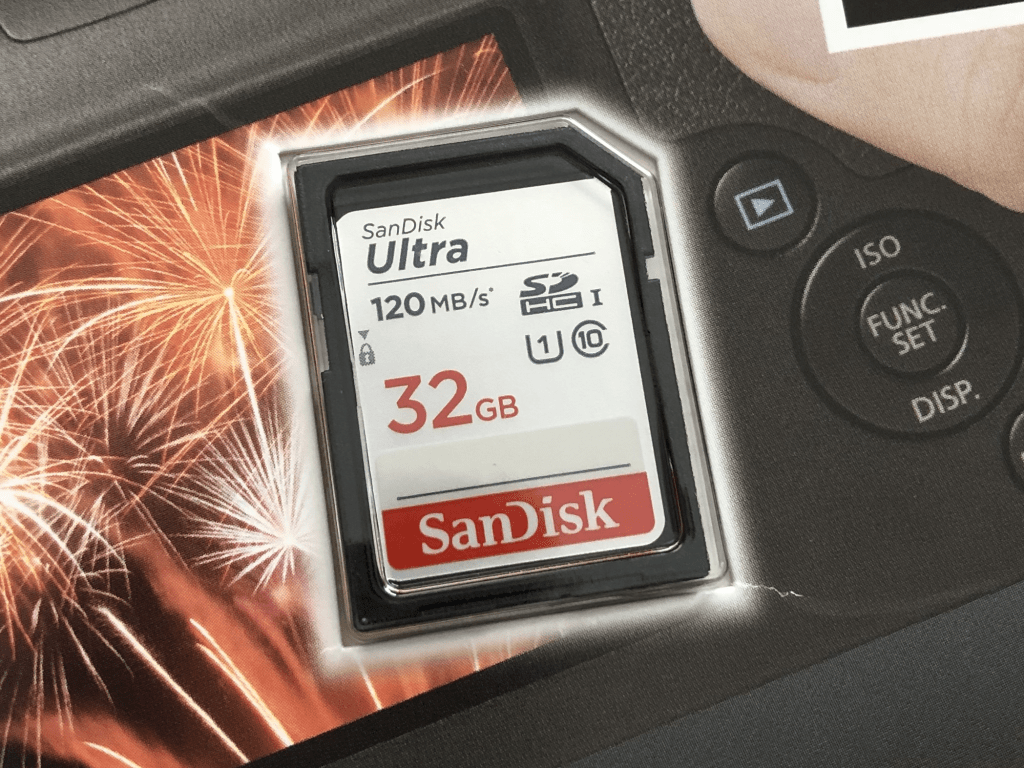
You can even setup logging to write to it instead:
> FORMAT
> RMLOGERR ON NOTICE
> RMLOGERR
RMLOGERR status:
    Current Log State is ON
    Current Log Name is /rm/RMLOGS/Crestron_00.log
    Current Size is 262144
Current Number of files is 1CP3 vs CP4
I wanted to see how much faster the CP4 is versus the CP3, so I wrote a small benchmark program to count prime numbers between 2 and some number. I’ve added a FINDPRIMES command to the console so I can test a few ways. Here is an example running on a CP3:
findprimes 20
2 3 5 7 11 13 17 19
Found 8 primes in 00:00:00.0005093
After testing each number between 2 and 20, the program found 8 that are prime, and it took 509.3 microseconds from start to finish.
Continue reading “CP3 vs CP4”Soup to Nuts: Cisco Codec – Part 4
In the final part of this series, we’ll finish by adding some basic functionality to the module we created in Part 3. Then we’ll look at how to drop this module into a real program and debug it when things go wrong. Lastly, we’ll consider how we could extend this module in the future.
Continue reading “Soup to Nuts: Cisco Codec – Part 4” Kiel the Coder