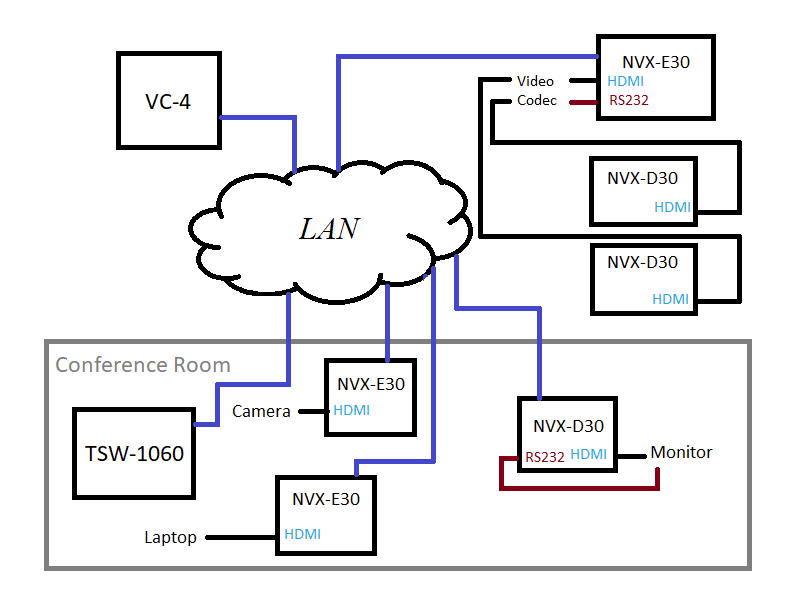
I’d like to write a program that explores VC-4 since it’s the only 4-series platform I’ll have access to for a while. And since VC-4 doesn’t run the logic engine, we get to program the whole thing in SIMPL#! Here’s a rough drawing of how this system will function:
I started to write a series of posts about programming on Crestron’s VC-4 platform, but realized I should probably back up and document how I got my VC-4 instance running.
Saw another wave of failed MC3 processors while browsing the Crestron forums so I decided I’d better make a backup of my SD card while I still could.
To get the cover off, I had to remove all visible screws from the outside (including the grounding screw). There’s also a lock nut on the RF antenna that had to be removed. The whole board slides out from the rear of the unit.
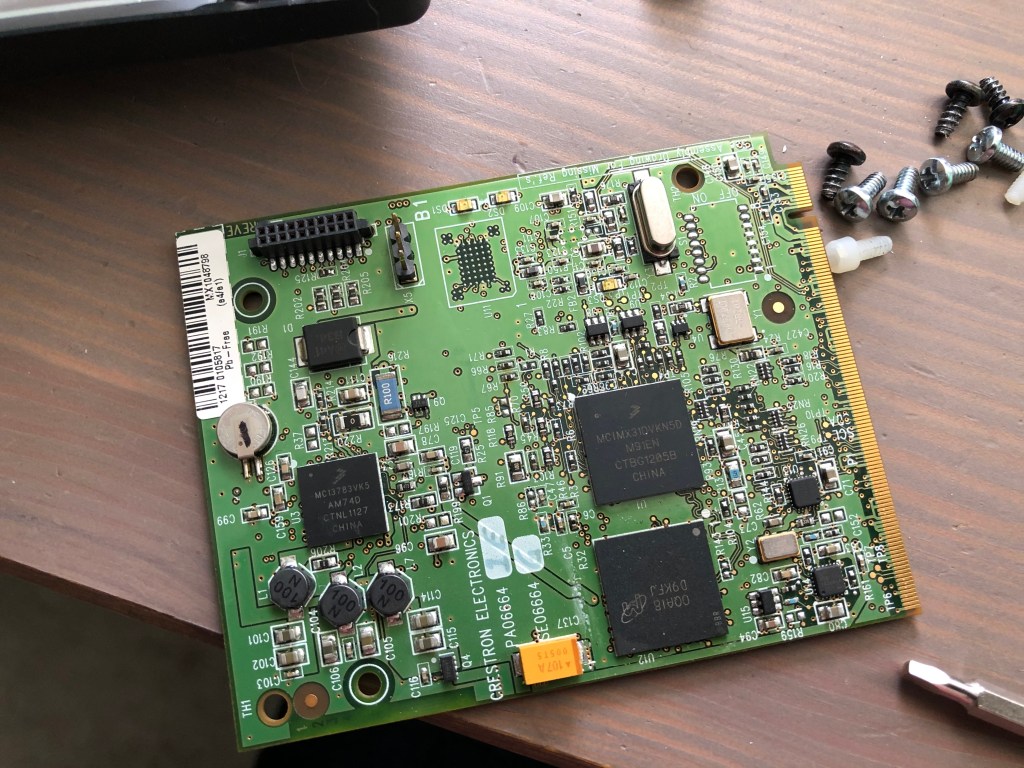
Once out of the chassis, there are two plastic screws holding a daughter board down. I removed those, then pulled the daughter board out. This exposes the SD card below. I had to slide the SD card to the right to unlock the socket, then I could remove it.
Daughter board removed to expose SD card slot
Using Ubuntu, I made a copy of the SD card and compressed it for storage in my Dropbox:
So fdisk didn’t detect any partition scheme. Maybe it’s just a FAT file system?
$ sudo mount -t vfat -o loop,ro mc3-sd-card.img /mnt
mount: /mnt: wrong fs type, bad option, bad superblock on /dev/loop6, missing codepage or helper program, or other error
$ sudo mount -t auto -o loop,ro mc3-sd-card.img /mnt
mount: /mnt: wrong fs type, bad option, bad superblock on /dev/loop6, missing codepage or helper program, or other error
What’s in this file? Using hexdump, I can page down and find messages about the Windows CE Ethernet Boot loader…
Originally, I wanted to make Part 4 similar to the program in Part 3, just showing how to do it with a DMPS instead. But testing it means I have to get a DMPS setup in my lab and I don’t feel like doing that just yet. So instead, we’ll take a step back and look at how to gather information about the processor we’re running on.
We didn’t get very far in the last tutorial, but we did get all of our devices added successfully to the program. We’re going to continue using the same project and finish it by creating a user interface and adding some program logic.
By now you should be a pro at creating new SIMPL# Pro projects. Let’s create another one, but we’re going to set this one up slightly different this time. We’ll still call it Part3, but change the solution name to Primer:
Slight change in project creation, we’ll add everything to the Primer solution from now on
In Part 1 of this primer, we’re going to look at how to create a new SIMPL# Pro project. This series assumes you have a copy of Visual Studio 2008 SP1 installed as well as the Crestron SIMPL# Plug-In. If you need to install the plug-in, it can be downloaded from Crestron. The current version is 2.000.0058.01.
This tip is going to cover Crestron modules–specifically, writing your own. As a new Crestron programmer, I shied away from doing this for years. It wasn’t the style used by the other programmers I worked with, and I never felt that I had enough time between projects to revisit how I would have done it differently. Over time, things change. Our team of programmers changed, new styles replaced the old; I became more familiar with the tool set; I could turn around new work much quicker than when I started; and I found I finally had time to apply some retrospection. Since I started incorporating my own modules into my programming, I’ve been able to increase my productivity even more and make the initial program almost bug-free.