In this part, we’re going to explore how to interact with Smart Objects from SIMPL# Pro. You’ll need to have an XPanel layout to follow along. You can download my project from GitHub. It looks something like this:
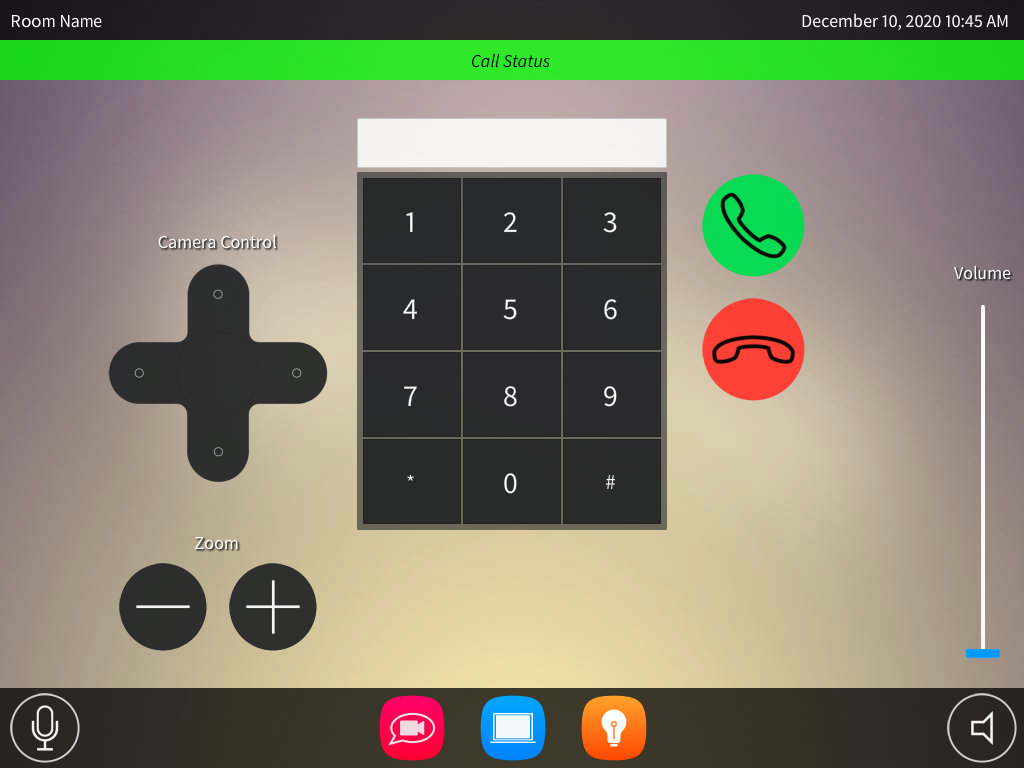
In this part, we’re going to explore how to interact with Smart Objects from SIMPL# Pro. You’ll need to have an XPanel layout to follow along. You can download my project from GitHub. It looks something like this:
Our goal in this project is to program a simple huddle room system. We’re going to design something that looks like this:

Over time, we’ll flesh this program out into something with more features, but for this part, it’s going to remain pretty bare-bones.
Continue reading “SIMPL# Pro Primer: Part 5”Originally, I wanted to make Part 4 similar to the program in Part 3, just showing how to do it with a DMPS instead. But testing it means I have to get a DMPS setup in my lab and I don’t feel like doing that just yet. So instead, we’ll take a step back and look at how to gather information about the processor we’re running on.
Continue reading “SIMPL# Pro Primer: Part 4”We didn’t get very far in the last tutorial, but we did get all of our devices added successfully to the program. We’re going to continue using the same project and finish it by creating a user interface and adding some program logic.
Continue reading “SIMPL# Pro Primer: Part 3 (continued)”By now you should be a pro at creating new SIMPL# Pro projects. Let’s create another one, but we’re going to set this one up slightly different this time. We’ll still call it Part3, but change the solution name to Primer:

In Part 2 of this primer, we’re going to keep things simple… another Hello World program. Sorry, maybe Part 3 will cover something more exciting?
Continue reading “SIMPL# Pro Primer: Part 2”In Part 1 of this primer, we’re going to look at how to create a new SIMPL# Pro project. This series assumes you have a copy of Visual Studio 2008 SP1 installed as well as the Crestron SIMPL# Plug-In. If you need to install the plug-in, it can be downloaded from Crestron. The current version is 2.000.0058.01.
Continue reading “SIMPL# Pro Primer: Part 1” Kiel the Coder